> For the complete documentation index, see [llms.txt](https://wiki.aesirmc.com/llms.txt). Markdown versions of documentation pages are available by appending `.md` to page URLs; this page is available as [Markdown](https://wiki.aesirmc.com/faction-mmorpg/parti-sistemi.md).
# Parti Sistemi
Aesir Minecraft sunucusunda parti oluşturarak arkadaşlarınızla güçlerinizi birleştirebilir, birlikte maceralara atılabilir ve oyundan daha fazla keyif alabilirsiniz.
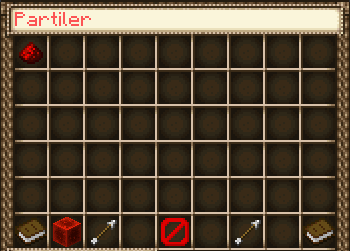
/party yazarak parti sekmesini açabilirsiniz
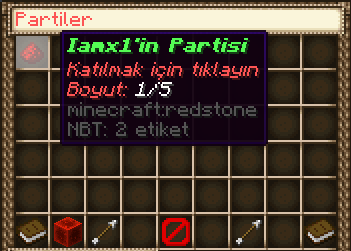
Bir partiye katılmak için kurulu olan bir partinin üzerine fareyi getirip tıklayın
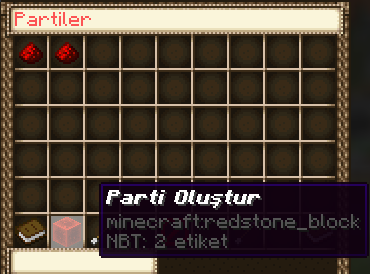
Parti kurmak için sol altta bulunan kızıltaş bloğuna tıklayabilirsin
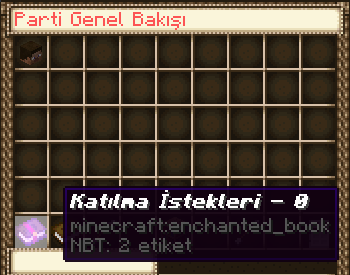
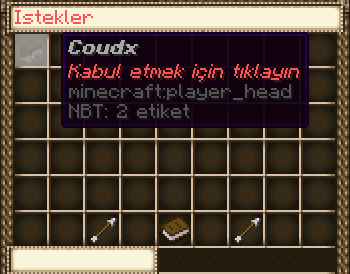
Partinize katılmak için istek gönderen kişilere bakmak ve kabul etmek için parti kurduktan sonra /party yazıp sol alttaki kitaba tıklayabilirsin
Partiden çıkmak yada partinizi kapatmak için /party leave yazabilirsin
Unutmayın bir parti kurup kapattıktan sonra tekrar parti kurmak için 120 saniye beklemeniz gerek